
9 Best Canva Alternatives in 2026 (Free, Cheaper & Lifetime)
By Dominique Abbey · 2026-06-14
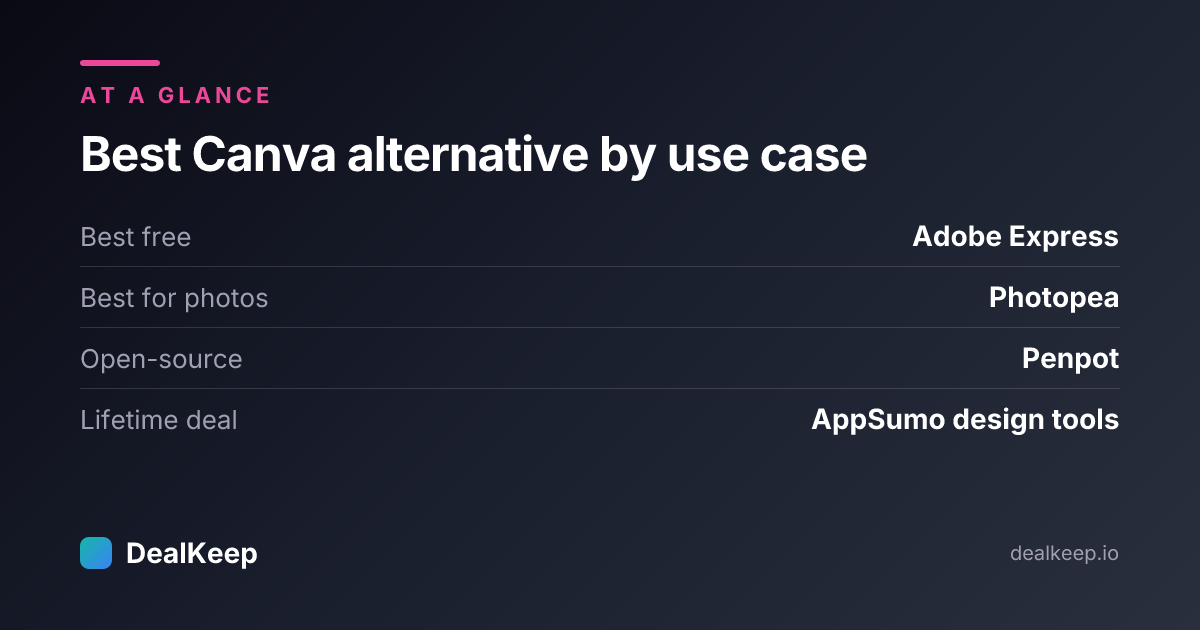
Short answer: the best free Canva alternative for most people is Adobe Express; for real photo editing it's Photopea; for a team that wants to own its design tool outright, the open-source Penpot or a one-time lifetime deal on AppSumo beats Canva's rising subscription. Below is how the nine strongest options compare and who each one is for.
Canva is still excellent, but the free plan has quietly lost features and Canva Pro now runs about $15/mo (or ~$120/yr) per person — more for teams. If you only need the odd social graphic, paying every month forever is hard to justify. These nine tools cover every use case Canva does, most with a genuinely usable free tier and several with one-time pricing.
Quick comparison
| Tool | Best for | Free plan | Starting paid | Lifetime option |
|---|---|---|---|---|
| Adobe Express | All-round Canva swap | Yes (generous) | ~$10/mo | No |
| Photopea | Photoshop-style editing | Yes (ad-supported) | ~$5/mo | No |
| Penpot | Open-source / self-host | Yes (unlimited) | Free / self-host | Free (OSS) |
| Snappa | Fast social graphics | Yes (limited) | ~$10/mo | No |
| Visme | Infographics & data viz | Yes (limited) | ~$13/mo | Occasionally on AppSumo |
| VistaCreate | Canva-style templates | Yes | ~$10/mo | No |
| Desygner | Brand kits & print | Yes | ~$10/mo | Sometimes on AppSumo |
| Pixlr | Quick browser photo edits | Yes (ad-supported) | ~$2/mo | No |
| Piktochart | Reports & presentations | Yes (limited) | ~$14/mo | No |
The 9 best Canva alternatives
1. Adobe Express — the closest free Canva replacement
Adobe Express is the most direct Canva competitor: drag-and-drop templates, social formats, brand kits, and a deep stock + font library, backed by Adobe's asset ecosystem. The free plan covers most casual creators, and the paid tier is cheaper than Creative Cloud while adding Photoshop-grade tools like background removal. If you want one tool that does what Canva does, start here.
2. Photopea — Photoshop in your browser, free
Photopea opens PSD, XD, Sketch, and Figma files and gives you layers, masks, and adjustment tools that Canva simply doesn't have. It's free (ad-supported), runs entirely in the browser, and is the right pick when you need real photo editing rather than template assembly.
3. Penpot — open-source, yours forever
Penpot is a free, open-source design and prototyping tool you can self-host. There's no per-seat subscription and no vendor lock-in — your files and the software are yours. It leans more toward UI/product design than social graphics, but for teams that hate recurring SaaS fees it's the most "own it outright" option on this list.
4. Snappa — quick graphics without the bloat
Snappa is built for speed: pick a size, drop in a template, export. It's lighter than Canva and ideal if you mostly make social posts, blog headers, and ad creatives and don't need Canva's deeper feature set.
5. Visme — best for infographics and data
Visme shines when your content is data-heavy: charts, infographics, interactive reports, and presentations. It's a stronger storytelling tool than Canva for marketing and sales decks, and it occasionally surfaces as a lifetime deal.
6. VistaCreate — the most Canva-like feel
Formerly Crello, VistaCreate offers a huge template library, animations, and a free tier that closely mirrors Canva's workflow. If your team already knows Canva, this is the smallest learning curve.
7. Desygner — brand control and print
Desygner is strong on brand kits, team controls, and print-ready output, with a usable free plan. It's a good fit for small businesses that produce both digital and printed marketing materials.
8. Pixlr — fast, free browser photo edits
Pixlr is a lightweight online photo editor (Pixlr X for quick edits, Pixlr E for advanced) with AI tools and a very low paid tier. Use it when you need to touch up an image fast without opening anything heavy.
9. Piktochart — reports, presentations, and visuals
Piktochart focuses on professional infographics, reports, and presentations with clean, business-ready templates. It's the pick when polish and structure matter more than playful social graphics.

Photo by Jakub Zerdzicki on Pexels
What to look for in a Canva alternative
- A free tier you can actually ship from — watermarks and export caps make "free" useless. Adobe Express, Photopea, Penpot, and Pixlr all let you export real work for free.
- The right kind of tool — template assembly (Adobe Express, VistaCreate) is different from photo editing (Photopea, Pixlr) and from product/UI design (Penpot). Match the tool to the job.
- Pricing model — a one-time lifetime deal or an open-source tool removes the forever-subscription that makes Canva expensive over time.
- Brand kits & team controls if more than one person creates content (Desygner, Adobe Express, Visme).
- File portability — can you export PSD/SVG/PDF and leave without losing your work? Photopea and Penpot win here.
Best free Canva alternatives
If price is the only thing pushing you off Canva, these are free forever: Adobe Express (best all-round free tier), Photopea (free photo editing), Penpot (free and open-source), and Pixlr (free quick edits). For most people, Adobe Express plus Photopea covers everything Canva Free does and more.
Want the lifetime-deal versions?
Design tools like Visme, Desygner, and Simplified regularly appear as one-time lifetime deals on marketplaces like AppSumo — pay once, own it, and never see another monthly charge. The catch is keeping track of what you bought. DealKeep helps you find and compare the best lifetime-deal tools and track every lifetime deal and subscription in one dashboard, so a one-time design tool doesn't get lost next to your other purchases.
FAQ
Is there a better option than Canva? "Better" depends on the job. For real photo editing, Photopea beats Canva outright. For owning your tool with no subscription, Penpot does. For a near-identical free experience, Adobe Express and VistaCreate are strong swaps. Canva is still great for fast template-based social graphics — the alternatives win on price, editing depth, or ownership.
Is there a 100% free alternative to Canva? Yes. Adobe Express, Photopea, Penpot, and Pixlr all have genuinely free tiers that let you export finished work. Penpot is fully open-source, so it's free with no upsell at all.
Who is Canva's biggest competitor? Adobe Express is the closest head-to-head competitor for everyday graphic creation, while Figma and Penpot compete on the design/UI side. For businesses, Visme competes hard on infographics and presentations.
Why is Canva so expensive now? Canva has shifted more features behind Canva Pro and raised prices as it added AI and premium content. For light users, paying monthly forever for occasional graphics is the core reason people look for cheaper or one-time alternatives.
Prices are approximate and change often — check each tool''s current plans before buying.