
Top Slack Alternatives for Seamless Team Collaboration in 2026
By DealKeep Team · 2026-06-17
Looking for a slack alternative? You have plenty of choices in 2026. Popular options include Microsoft Teams, Zoom, Google Chat, Discord, ClickUp, Asana, Bitrix24, Rocket.Chat, Yammer, Mattermost, Element, Chanty, and BridgeApp. Teams often switch because of message history limits, high costs, or tricky integrations.
Reason for Switching
Description
Message History Limitations
Free plan restricts history to 90 days.
High Cost
Price increases fast with more users.
Integration Challenges
Hard to connect with Microsoft 365 or Google Workspace.
Key Takeaways
- Explore various Slack alternatives like Microsoft Teams, Google Chat, and Discord to find the best fit for your team's needs.
- Consider factors like pricing, integration capabilities, and security features when selecting a collaboration tool.
- Utilize comparison tables in the blog to quickly assess the pros and cons of each alternative, helping you make an informed decision.
Slack Alternative Comparison
 Image Source: unsplash
Features Overview
You want to know what makes each slack alternative stand out. Check out this table for a quick look at the main features, pros, and cons. It helps you spot which tool fits your team best.
Slack Alternative
Key Features
Pros
Cons
Microsoft Teams
Microsoft ecosystem, AI add-on
Great audio/video, strong security
Setup can be tricky
Google Chat
Google Workspace integration
Real-time search, easy workflow
Fewer features
Discord
Always-on voice channels
Fast setup, real-time collab
File upload limits (free)
Zoom
Video conferencing, screen sharing
Reliable, solid collaboration
Not a true chat app
Tip: Use this table to compare what matters most to your team—like video quality, chat search, or easy setup.
Pricing Summary
You probably care about cost. Here’s a quick pricing table for popular slack alternative tools. It shows who each tool works best for and what you pay.
Tool
Best For
Pricing
Microsoft Teams
Microsoft 365 users
Free / $4 per user/month
Google Chat
Google Workspace users
$7 per user/month
Discord
Creative teams
Free / Nitro $9.99/month
Rocket.Chat
Customization, self-hosted
Free / ~$4 per user/month
Chanty
Small teams
Free (5 users) / $3/user
Integration Options
You need your slack alternative to connect with other apps. Microsoft Teams links with Office tools. Google Chat works with Docs and Drive. Discord offers bots and webhooks. Rocket.Chat lets you build custom integrations. If your team uses Google Workspace or Microsoft 365, pick a tool that fits right in.
Best Slack Alternatives in 2026
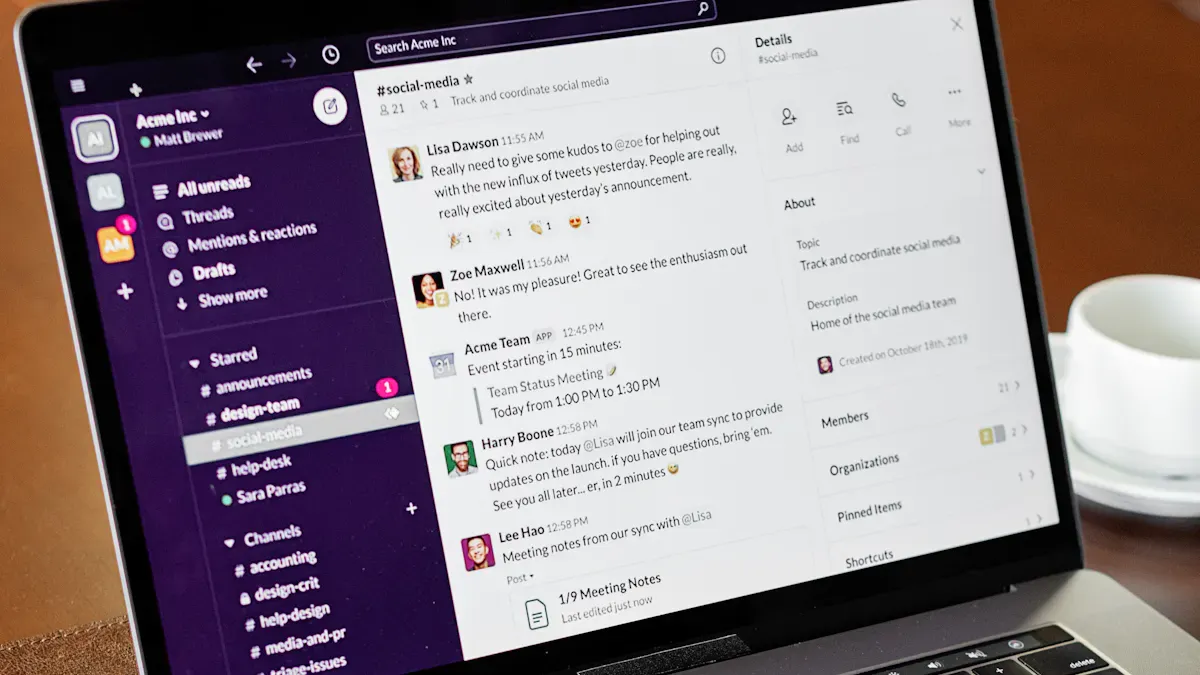 Image Source: pexels
Microsoft Teams
You want a slack alternative that fits right into your workflow. Microsoft Teams connects tightly with the Microsoft ecosystem. You get better audio and video quality than most other tools. Teams supports large companies with strong security and admin controls. You can use Microsoft Copilot for AI features like transcriptions and sentiment analysis. Zapier integrations help automate tasks. Teams organizes chats by team structure, so your side panel stays neat. Sometimes, you need to click around more to find channels, but everything stays organized.
- Tight integration with Microsoft apps
- Superior audio and video quality
- Strong security for enterprise use
- AI-powered features
- Automation through Zapier
Zoom
Zoom stands out as a slack alternative when your team needs top-notch video meetings. You get HD video, breakout rooms, and whiteboard tools. Zoom works well for presentations and big team meetings. It offers high-quality video and audio, virtual backgrounds, and breakout rooms. Zoom is perfect for webinars and larger meetings. Slack focuses more on messaging and channels, while Zoom shines in video collaboration.
Tip: If your team holds lots of meetings, Zoom makes collaboration easy and clear.
Google Chat
Google Chat gives you a slack alternative that works smoothly with Google Workspace. You can use Gemini AI for productivity. Chat organizes conversations into Spaces, which keeps things tidy. You get advanced Google search, smart replies, and Google Meet integration for calls. Workflow automation comes from IFTTT and Google Apps Script. Security is strong with enterprise-grade controls.
Feature
Google Chat
Slack
Integration
Native with Google Workspace
Standalone platform
AI Features
Gemini for productivity
Limited AI capabilities
Contextual Collaboration
Yes
No
Spaces
Organized team conversations
Channels
Direct Messaging
AI-powered smart replies
Standard messaging
Search
Advanced Google search
Basic search
Voice/Video Calling
Google Meet integration
Built-in calling
Workflow Automation
IFTTT, Apps Script
Limited automation
Security
Enterprise-grade controls
Varies by plan
Discord
Discord has become a slack alternative for creative teams and startups. You get real-time interaction and fast, informal communication. Teams love the high engagement and quick feedback. Discord offers a free plan with no message history limits. Voice channels stay open for continuous talk. You can customize permissions and channel structures.
- Free plan with unlimited message history
- Persistent voice channels for ongoing communication
- Customizable permissions and channels
Note: Discord works best for small or experimental teams where speed matters.
ClickUp
ClickUp gives you a slack alternative focused on project management. You can manage tasks, get real-time updates, and integrate with over 100 tools. AI agents help spot risks and boost productivity. ClickUp lets you customize workflows and task hierarchies. You centralize project management, so you don’t need to switch between apps.
Feature
Description
Task Management
Streamlines project workflows
Real-time Updates
Instant task status updates
Tool Integration
Connects with 100+ apps
AI Agents
Identifies and mitigates project risks
Customization
Flexible workflows and task hierarchies
- ClickUp is designed for project management, not just communication.
- You get chat as one feature among many.
- Teams manage tasks directly in ClickUp, keeping everything in one place.
Asana
Asana helps you track tasks and projects. You see timelines, assign tasks, and monitor progress. Asana is great for teams that need structure. You can create and assign tasks from Slack messages. Real-time updates come straight into Slack. You turn discussions into actionable tasks.
- Assign tasks from Slack messages
- Get real-time project updates in Slack
- Turn conversations into tasks
Tip: Asana works well for teams that want clear project tracking.
Bitrix24
Bitrix24 offers a slack alternative with strong collaboration tools. You create dedicated spaces for projects and teams. Guest access management lets you invite external collaborators securely. You assign and track tasks inside collaboration spaces. Bitrix24 keeps all project discussions in one place. Document management is unified, and permission controls are flexible. You can sign documents electronically for faster approvals.
Feature
Bitrix24 Advantages
Slack Limitations
Collaboration Spaces
Dedicated spaces for projects and teams
No dedicated project spaces
Guest Access Management
Secure external collaboration
Limited guest access
Task Management
Assign and track tasks
Less integrated task management
Centralized Communication
Built-in team chat
Fragmented communication
Document Management
Unified file storage
Less organized file management
Permission Controls
Flexible settings
Basic permissions
Electronic Signing
Integrated signing
No built-in signing
Organized Collaboration
All tools in one workspace
Relies on multiple tools
Rocket.Chat
Rocket.Chat gives you a slack alternative with strong security and customization. You get end-to-end encryption, which protects your data. The open-source platform lets you tailor the tool to your needs. A large developer community keeps Rocket.Chat secure and innovative.
Note: Rocket.Chat is ideal for teams that need custom solutions and high security.
Yammer
Yammer connects people across your organization. You share updates, ask questions, and build communities. Yammer works well for large companies that want to encourage open communication. You can integrate Yammer with Microsoft 365 tools. It helps break down silos and keeps everyone informed.
Mattermost
Mattermost is an open-source slack alternative. You can self-host it, so you control your data. Mattermost supports on-premises, private cloud, or air-gapped setups. This is perfect for regulated industries. You get compliance with standards like SOC 2, ISO 27001, GDPR, and CCPA. Mattermost lets you set up encryption, access controls, and audit logging.
- Self-hosted for full data control
- Compliance with strict standards
- Custom security measures
Tip: Mattermost is best for organizations needing data sovereignty.
Element
Element gives you privacy and security. You get end-to-end encryption. Element runs on the Matrix platform. Your data stays on a private server. This slack alternative is great for teams that value privacy.
- End-to-end encryption
- Matrix platform
- Private server storage
Chanty
Chanty makes communication simple for small teams. You assign tasks and track progress inside the app. Audio and video calls come with screen sharing. Teambook organizes files, links, tasks, and conversations. Chanty offers a free plan for up to five users with unlimited messaging. The business plan costs less than Slack. You can convert messages into tasks. Integrations include Trello, Asana, and Google Drive.
- Built-in task management
- High-quality calls and screen sharing
- Teambook for easy access
- Generous free plan
- Cheaper than Slack
- Unlimited messaging
Note: Chanty is user-friendly and keeps costs low for small teams.
BridgeApp
BridgeApp introduces new ways to collaborate. You reduce context-switching by 60%. Users save about 4.6 hours each week. You can try BridgeApp for free before paying. This slack alternative boosts productivity and helps teams focus.
- Reduces context-switching
- Saves time every week
- Free trial available
Tip: BridgeApp helps your team work smarter, not harder.
Slack Alternative Use Cases
Large Organizations
If you work in a big company, you need tools that scale. Microsoft Teams stands out because it connects with Microsoft 365, supports strong video calls, and meets strict compliance rules. You get smooth meetings and secure chats. Some companies also like Slack for its developer tools and easy connections with platforms like Salesforce. Your choice depends on what your team already uses and what rules you must follow.
- Microsoft Teams: Best for Microsoft 365 users, top security, great video
- Slack: Great for developer teams and external partners
Security Focus
You want your messages safe. Some tools offer end-to-end encryption and follow strict rules like HIPAA and GDPR. Here’s a quick look:
Tool
E2E Encryption
Compliance
Mattermost
Yes
HIPAA, GDPR, SOC 2
Rocket.Chat
Yes
HIPAA, GDPR
Element
Yes
GDPR
Chanty
No
HIPAA, GDPR, FINRA
Teams
No
HIPAA (with BAA), GDPR
Rocket.Chat and Chanty work well for healthcare teams. Mattermost is good for companies that need full control.
Free Options
You might want a free plan. Some tools give you unlimited chat history and lots of storage. Here’s a quick table:
Alternative
Free Plan Features
Limitations
Pumble
Unlimited users, 10 GB storage
No read receipts
Microsoft Teams
Unlimited chat history, 5 GB per user
No free business version
Google Chat
Unlimited chat, Google Workspace needed
Workspace users only
Chanty
Unlimited messages, task manager
5 users max on free plan
Discord
Unlimited messages, great calls
Not for big companies
Project Management
You need to track tasks and projects. ClickUp and Asana help you manage work and chat in one place. You can assign tasks, get updates, and keep everything organized.
Informal Teams
If your team likes a relaxed style, try Discord or Twist. Discord gives you open voice channels and fast chats. Twist uses threads, so you can reply when you want. Both make teamwork easy and fun.
Google Workspace Integration
If you use Google apps, Google Chat fits right in. You can share files, set up meetings, and chat without leaving Gmail or Google Calendar.
AI-Powered Workflows
Want to save time? Many tools now use AI. You get features like automated ticket replies, smart knowledge bases, and bots that turn messages into tasks. These tools learn as you use them, so your team works faster every day.
Tip: Match your team’s needs to the right tool. Think about size, security, price, and how you like to work.
Choosing the Right Slack Alternative
Team Size
You need to pick a tool that fits your team. Some platforms work better for small groups, while others scale up for big companies. Start by looking at pricing based on your actual team size, not just the lowest advertised price. Check if the tool connects with your current apps. Think about setup time—some tools take longer to get started than you expect. Decide if you need features for talking to customers or just for internal chats.
Slack Alternative
Ideal For
Key Features
Connecteam
Smaller franchise networks
Frontline communication, basic training, scheduling at an affordable price
Budget
You want to save money and get the best value. Many teams now choose fixed-price platforms that include both chat and project management. This helps avoid rising costs as your team grows. Small and mid-sized teams often find Slack too expensive, especially when they need extra tools for tasks.
- Teams look for all-in-one solutions to keep costs steady.
- Avoid platforms that charge more as your team expands.
Features
Features matter most when you want to boost productivity. Look for tools that match your communication style. Easy onboarding helps new members join fast. Pick a platform that supports growth and connects with your favorite apps. Built-in workflow and automation tools make your work smoother.
- Communication style
- Usability and onboarding speed
- Scalability for multiple teams
- Integration with other tools
- Workflow and automation support
Security
You need to keep your data safe. Check if the platform meets standards like HIPAA, GDPR, or ISO 27001. Look for encryption and strong access controls. Enterprise-grade features help large teams stay secure and organized.
Security Factor
Description
Compliance
Meets HIPAA, GDPR, ISO 27001, SOC 2 standards
Data Security
Uses encryption and access controls
Enterprise Features
Supports large teams and structured collaboration
Integration
Integration makes your work easier. Choose tools that fit your current tech stack. Seamless connections with your apps boost productivity and prevent extra work.
- Integration needs drive team efficiency.
- Avoid tools that create redundancy or integration debt.
- Pick platforms that connect smoothly with your systems.
Tip: Test a few platforms with your team before making a final choice. Try real tasks and see which tool feels right.
You have many great Slack alternatives for team collaboration in 2026. Start by listing your team’s needs. Shortlist your top picks. Test each platform with your team. Plan for growth.
Use the tables and tips above to help you make the best choice for your team.
FAQ
What is the best free Slack alternative for small teams?
You can try Chanty or Discord. Both offer unlimited messages and easy setup. Chanty works well for up to five users. Discord is great for fast chats.
Can I migrate my Slack data to another platform?
Most tools let you import Slack data. You usually export your messages and files, then follow the new platform’s guide. Check each tool’s support page for details.
Which Slack alternative has the best security?
You get strong security with Mattermost, Rocket.Chat, or Element. These tools offer end-to-end encryption and let you control your data. Great for privacy-focused teams.
Related on DealKeep
Managing tools from AppSumo, StackSocial, and other lifetime-deal marketplaces? DealKeep keeps your whole stack organized: